WhatsApp Marketing Compliance and Opt-In Guide for India
Quick Answer
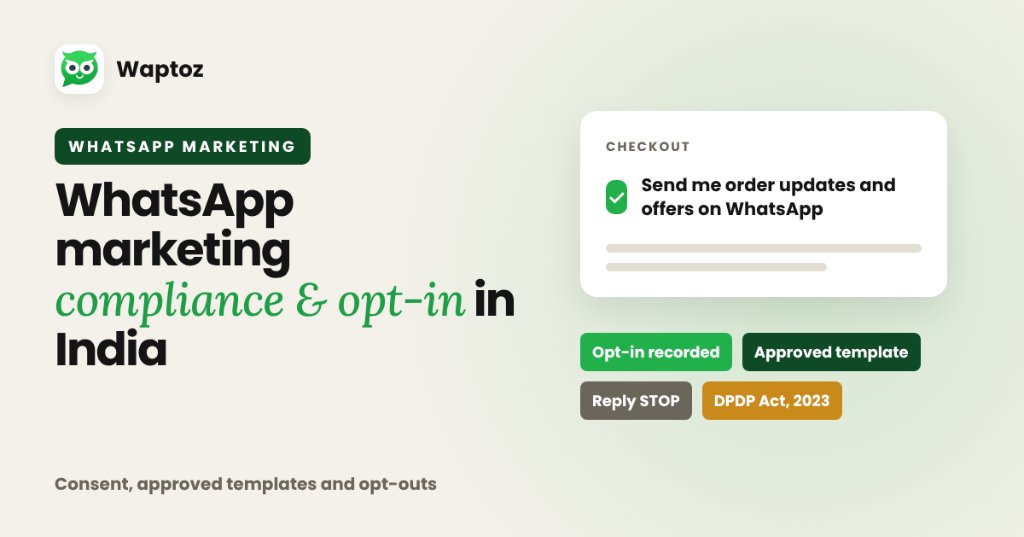
Compliant WhatsApp marketing requires two mandatory foundations: verifiable user opt-in consent before sending proactive business messages, and Meta-approved message templates sent via the official WhatsApp Business API. In India, businesses must also honor immediate opt-out requests and align consent records with the Digital Personal Data Protection (DPDP) Act, 2023.
What Meta Defines as Valid WhatsApp Opt-In#
Meta's WhatsApp Business Policy states that a business may only message users who have both provided their phone number and actively opted in to receive WhatsApp communications from that specific business.
Buying scraped phone databases, exporting unrelated group chats, or assuming phone-number submission automatically implies promotional WhatsApp consent violates Meta rules and damages account quality scores.
- Clearly state the business name alongside the WhatsApp consent notice.
- Make opt-in an explicit user action (unchecked checkbox, QR scan, inbound keyword, or signed form clause).
- Specify the types of updates the customer expects (order alerts, offers, reminders).
Approved Opt-In Collection Channels That Scale#
Businesses can build large, clean WhatsApp lists rapidly using compliant touchpoints:
- Website demo, quote, or newsletter forms with clear WhatsApp update checkboxes.
- Click-to-WhatsApp ads and QR codes created with a link generator.
- E-commerce checkout pages (Shopify/WooCommerce) offering order & offer alerts.
- Verbal or paper registration forms paired with written consent notice where audited.
India DPDP Act 2023 & Opt-Out Hygiene#
Waptoz Terms of Service align data processing with India's Digital Personal Data Protection (DPDP) Act, 2023, making businesses responsible for securing user consent before campaign dispatch. Always include a simple opt-out mechanism (for example, a 'Stop Promotions' quick-reply button or blocking opted-out numbers inside CRM).
Practical Example: Clean Checkout + Campaign Opt-Out Flow#
A D2C store sends utility order alerts to buyers and wants to run seasonal promotional broadcasts safely.
- Separate transactional Utility order alerts from optional promotional Marketing opt-in at Shopify/WooCommerce checkout.
- Tag consented promotional shoppers cleanly inside Waptoz CRM.
- Add a quick-reply 'Stop Offers' button inside Marketing templates and block/untag anyone opting out immediately.
Important Governance Realities#
- Template approvals and account quality ratings are controlled directly by Meta, not third-party CRM vendors.
- High user block/report rates cause Meta to flag template quality as Low and may pause campaign templates or restrict daily messaging limits.
Frequently Asked Questions#
Having a customer's phone number alone does not meet Meta's proactive opt-in standard unless the user consented to receive WhatsApp messages from your business. Collect explicit opt-in through forms, receipts, or inbound Click-to-WhatsApp campaigns first.
Yes. Waptoz CRM supports blocking/unblocking contacts and managing contact tags so opted-out recipients are excluded from future broadcasts.
Primary References & Official Documentation#
- Meta for Developers: WhatsApp Business Policy & Opt-In Requirements
- Waptoz: Waptoz Terms of Service & DPDP Alignment
Explore Waptoz WhatsApp Marketing Software
Run segmented, Meta-approved template campaigns with contact blocking & tag controls.

Continue Reading
WhatsApp Broadcast Lists vs Official API Bulk Messaging
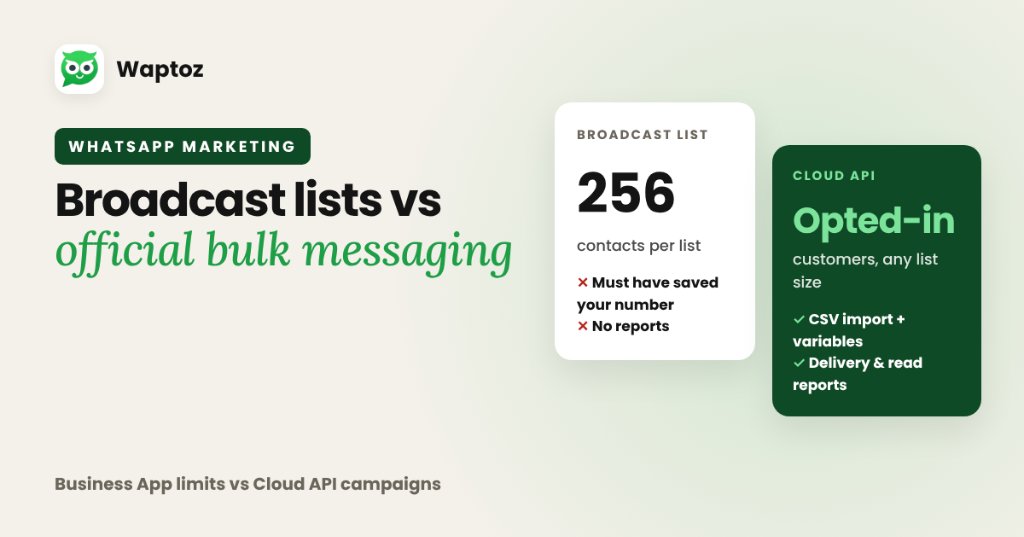
WhatsApp Broadcast lists inside the free mobile app cap each list at 256 contacts and only deliver if every recipient saved your phone number. Official WhatsApp API bulk messaging (via platforms like Waptoz) uses Meta-approved templates on the Cloud API — removing the contact-save requirement, supporting CSV imports with variables, and protecting numbers from unofficial plugin bans.
WhatsApp Cloud API Explained: Architecture, Onboarding & Hosting
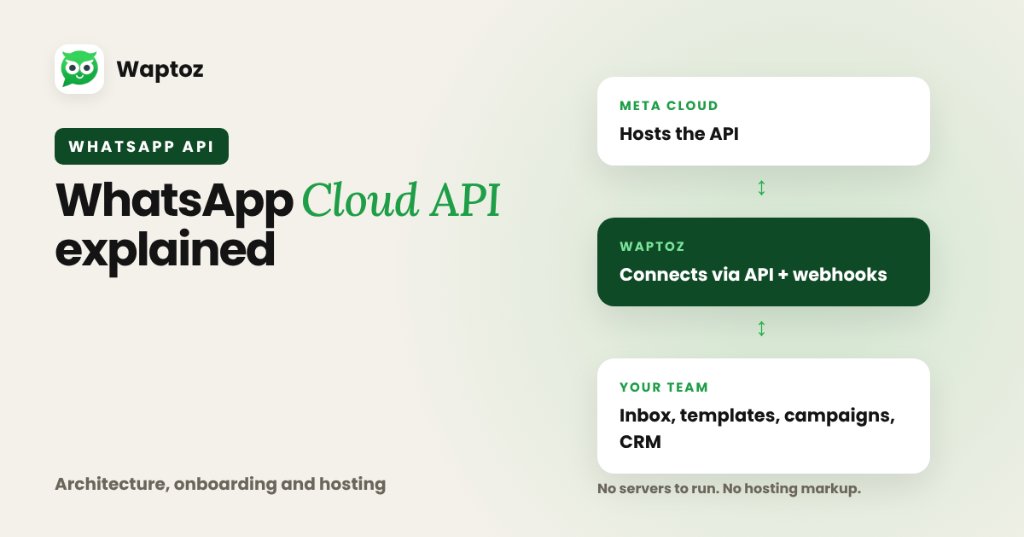
The WhatsApp Cloud API is Meta's official, cloud-hosted version of the WhatsApp Business Platform API. Instead of businesses maintaining Docker servers or paying middleware hosting markups under older On-Premises setups, Meta hosts the API directly on its servers while software platforms like Waptoz connect via API and webhooks to give you an inbox, templates, broadcasts, and CRM tools.
How to Manage Business Leads on WhatsApp From Inquiry to Close
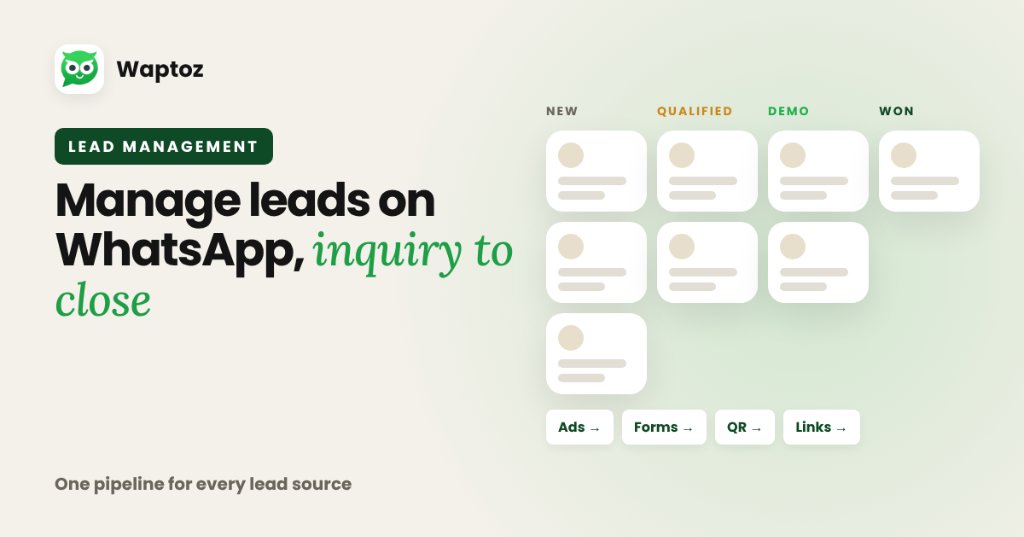
Managing leads effectively on WhatsApp requires centralizing every acquisition channel into a single CRM pipeline: ingest leads automatically from ads, forms, and click links, apply structured tags and custom attributes, assign owners cleanly, track follow-ups and demo dates inside the CRM, and connect every update to live chat history.