WhatsApp Cloud API Explained: Architecture, Onboarding & Hosting
Quick Answer
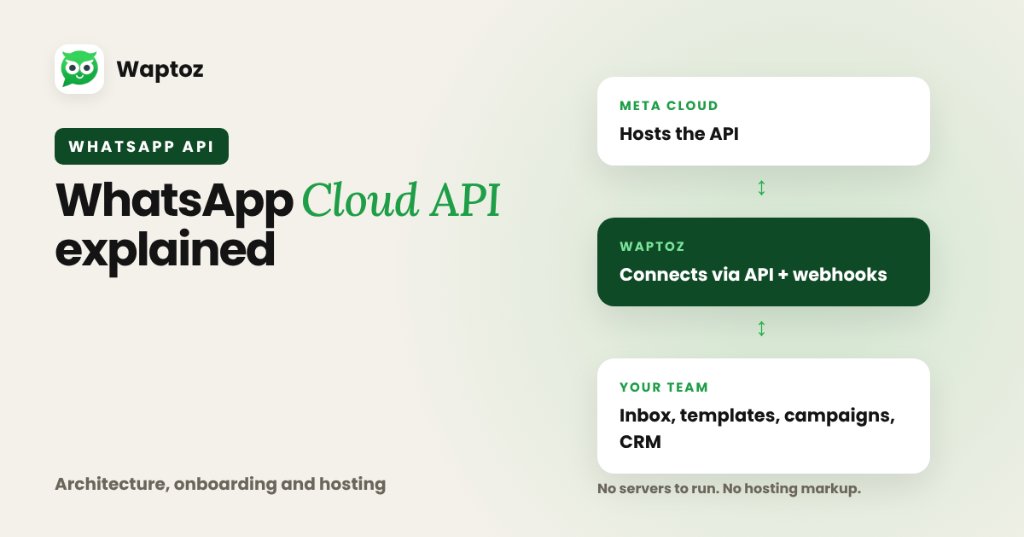
The WhatsApp Cloud API is Meta's official, cloud-hosted version of the WhatsApp Business Platform API. Instead of businesses maintaining Docker servers or paying middleware hosting markups under older On-Premises setups, Meta hosts the API directly on its servers while software platforms like Waptoz connect via API and webhooks to give you an inbox, templates, broadcasts, and CRM tools.
Cloud API vs Legacy On-Premises API#
Historically, companies needing programmatic WhatsApp access had to deploy complex On-Premises API containers or buy through third-party BSP infrastructure. Meta launched and standardized the Cloud API so businesses receive direct API uptime, instant feature updates, and scalable throughput hosted natively by Meta.
What Meta Hosts vs What Software Like Waptoz Provides#
The Cloud API itself is a developer programming interface — it exposes HTTP endpoints and webhooks, NOT a graphical team inbox, lead tracker, campaign scheduler, or Flow chatbot screen.
Platforms like Waptoz sit cleanly on top of the official Cloud API to provide the user-facing CRM workspace, template approval workflows, CSV/Excel broadcasting, Flow bots, and pre-built connectors (Shopify, WooCommerce, Razorpay, Zoho CRM, Google Sheets, IndiaMART).
What You Need Before Onboarding#
To activate an official Cloud API business number:
- An active phone number not simultaneously registered on personal/Business mobile apps (or cleanly migrated during setup).
- A Meta Business portfolio / Business Manager account with valid business details.
- Approved message templates under Utility, Authentication, or Marketing categories before outbound broadcasts.
Raw Meta Cloud API vs Cloud API + Waptoz CRM Layer#
| Layer | Raw Meta Cloud API (DIY) | Meta Cloud API + Waptoz Platform |
|---|---|---|
| Hosting & security updates | Managed by Meta | Managed by Meta |
| Multi-agent live chat UI | Must build & host in-house | Built-in Team Inbox ready out of the box |
| CSV broadcasts & scheduling | Custom scripts required | No-code upload, variable mapping & scheduler |
| E-commerce & CRM connectors | Custom webhook coding | Native Shopify, WooCommerce, Zoho, Meta Ads + Webhooks |
| Chatbot Flow Builder | Custom state-machine code | No-code Flow Bot + Knowledge Base module |
Practical Example: SaaS or Payment Webhook Notifications#
A SaaS product or Razorpay-enabled business wants instant WhatsApp payment and onboarding alerts.
- Business connects its verified number to Meta Cloud API inside the Waptoz portal.
- Engineering or ops configures a Razorpay webhook or Waptoz Generic Webhook URL.
- Payment completion payload maps customer phone and invoice fields directly into an approved Utility template.
- Customer receives the receipt on WhatsApp and any follow-up reply opens a live thread in Team Inbox.
Technical Boundaries to Know#
- Meta enforces display name policies, business verification requirements, and template category classification rules.
- Messaging volume scaling across daily unique-user tiers is governed by Meta's phone number quality and verification status.
Frequently Asked Questions#
No. Meta hosts the WhatsApp Cloud API servers directly, and SaaS platforms like Waptoz provide the cloud CRM interface on top.
Existing numbers meeting Meta requirements can be onboarded onto the Cloud API (they cannot stay concurrently logged into the mobile app), and eligible verified businesses can apply for Meta's official verified badge.
Primary References & Official Documentation#
- Meta for Developers: WhatsApp Cloud API Documentation
- Waptoz Blog: WhatsApp Business App vs API: 6 Real Differences
Explore Waptoz WhatsApp API Integration
Connect Meta's official Cloud API with webhooks, approved templates, and CRM workflows.

Continue Reading
WhatsApp Business API Pricing Explained (India Rate Card Breakdown)
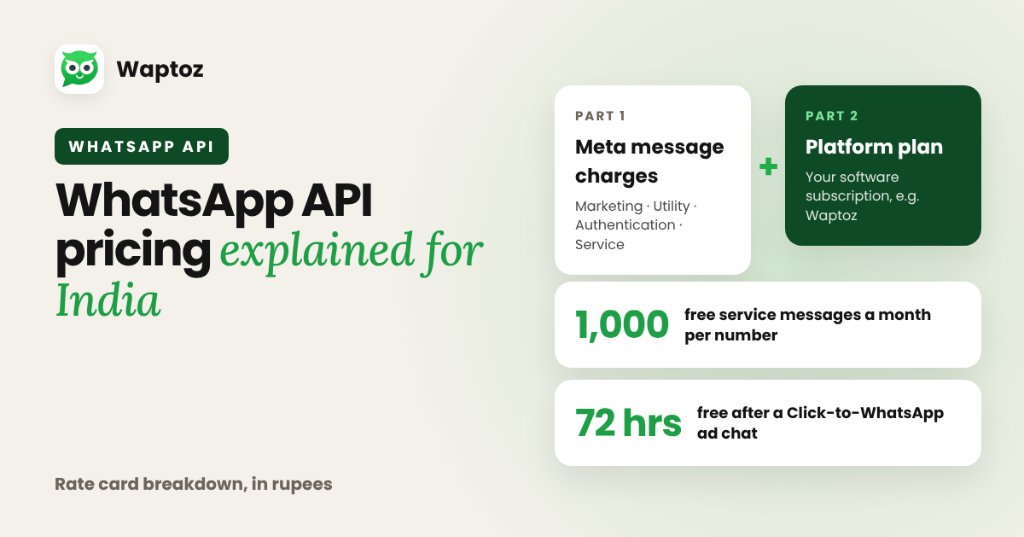
WhatsApp Business API pricing in India consists of two separate parts: Meta's per-delivered-message template charges (categorized as Marketing, Utility, Authentication, or Service) and your software platform subscription fee (such as Waptoz). Meta also provides 1,000 free monthly Service messages per business number and 72-hour free entry windows for Click-to-WhatsApp ad clicks.
What Is WhatsApp CRM Software?
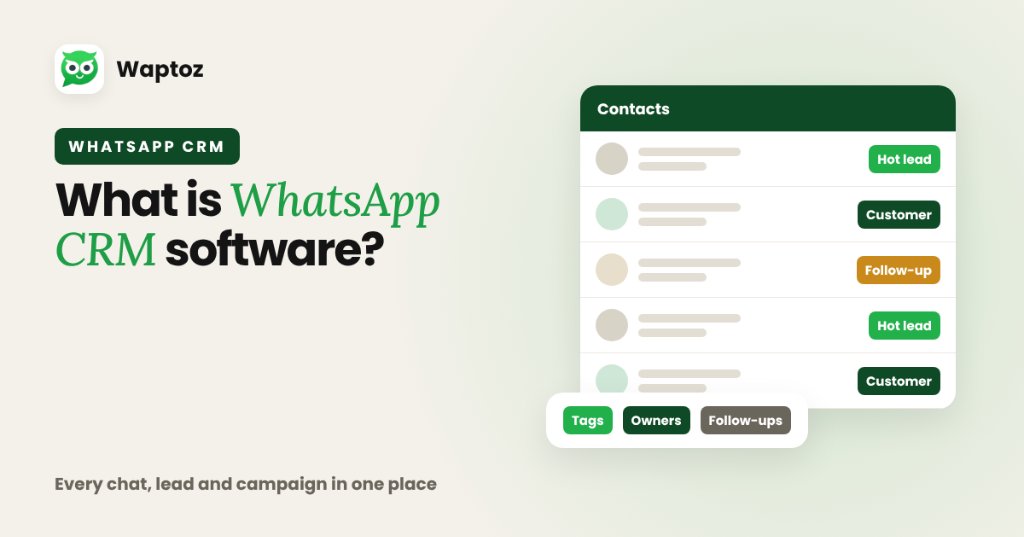
WhatsApp CRM software combines traditional Customer Relationship Management (lead capture, contact segmentation, tags, follow-ups, and team ownership) with the official WhatsApp Business Cloud API. Instead of scattering customer chats across personal employee phones, teams manage every conversation, campaign broadcast, automated workflow, and deal update from one shared dashboard.
WhatsApp Broadcast Lists vs Official API Bulk Messaging
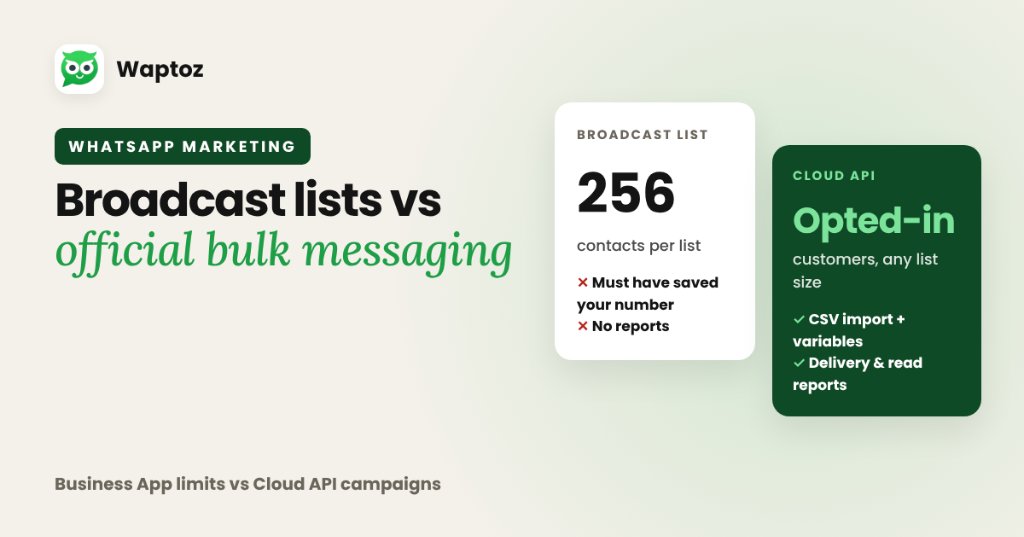
WhatsApp Broadcast lists inside the free mobile app cap each list at 256 contacts and only deliver if every recipient saved your phone number. Official WhatsApp API bulk messaging (via platforms like Waptoz) uses Meta-approved templates on the Cloud API — removing the contact-save requirement, supporting CSV imports with variables, and protecting numbers from unofficial plugin bans.